OrangeIDE

// agentic coding · windows x64 · free & offline

Your code never
leaves your machine.

A complete agentic coding IDE that runs open models on your own GPU with a built-in llama.cpp engine. No account, no cloud, no telemetry, and no server of ours anywhere in the path. Prefer a cloud model? Paste your own key and it goes straight to the provider — never through us.

  • Runs 100% offline
  • No account, ever
  • Portable — lives on a USB drive
  • Free, with no paid tier
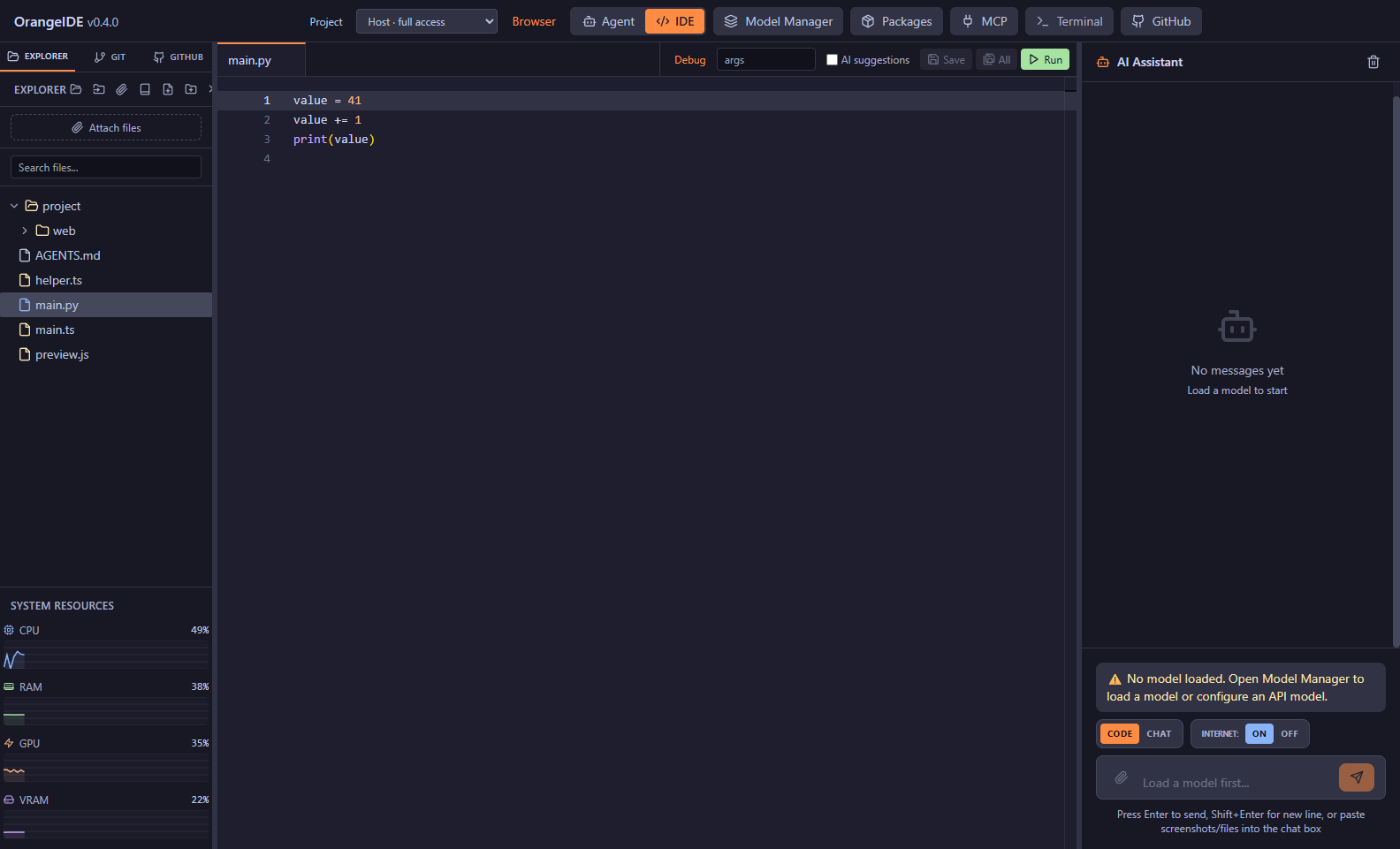
OrangeIDE — myproject
session.py test_auth.py Agent
AGENTqwen2.5-coder-14b · local
⚡ qwen2.5-coder-14b 34 tok/s · GPU ctx 41% spent today: $0.00

// choosing a model

Local by default. Cloud only if you say so.

Most AI IDEs start in the cloud and treat local as an afterthought. OrangeIDE is built the other way up — and never puts itself between you and a provider.

DEFAULT · LOCAL

Your GPU does the work

A bundled llama.cpp engine runs open models — DeepSeek, Qwen, Llama, GPT-OSS — straight from Hugging Face. Pick a quant, and the autotuner splits layers across GPU and RAM for your exact hardware.

Chat, agent mode, RAG, terminal: all of it works with the network cable unplugged.

free forever · offline forever
OPTIONAL · YOUR KEYS

Bring any provider

Paste your own API key for OpenAI, Anthropic, Google, DeepSeek, Grok, and more. Calls go straight from your machine to the provider — we never proxy them, never see them, never charge for them.

Bring-your-own-key is a feature here, not a business model.

free feature · direct connection
OPTIONAL · ONE KEY

Don't want eight accounts?

Point OrangeIDE at an aggregator like OpenRouter and a single key reaches hundreds of models. Billing stays between you and them — we take no cut and never see the traffic.

There is no OrangeIDE account, balance, or gateway. There never will be.

optional · your key, your billing

// hardware fit

What can your machine run?

Pick your specs for an honest starting point — the same logic the in-app autotuner uses. Ballparks, not benchmarks.

# quant sizes are approximate GGUF file sizes

Qwen2.5-Coder-7B

Q5_K_M · ~5.4 GB download

expected speed
~35–60 tok/s
comfortable context
32k tokens
agent mode
yes — brisk

A fast daily driver for edits, chat, and tool-calling agents.

⚠ 8 GB system RAM is below the 16 GB minimum — expect heavy swapping.

// the ide

A complete IDE, not a chat window.

Editor, terminal, git, and an agent that uses all three — in one portable install.

Agent mode

An autonomous loop that plans, edits, runs your tests, and verifies its own work — with an autonomy dial from read-only to hands-off and a live plan you can steer.

Model Manager

Search Hugging Face in-app, compare quantizations, download multi-part GGUFs, and let the autotuner pick GPU layers and context for your card.

Local RAG

Index your own PDFs, DOCX, and docs into a local knowledge base the agent can search. Your documentation never leaves the disk it lives on.

Terminal, git & GitHub

An integrated shell that follows your file explorer, plus commit, branch, and PR panels the agent can drive with your permission.

MCP servers

Extend the agent with Model Context Protocol tools — browsers, databases, custom scripts — managed from a built-in MCP panel.

Portable mode

Drop the folder on an external SSD and the whole IDE travels — models, config, sessions, keys. It even heals drive-letter changes between machines.

// what it costs

Free. Not freemium.

No paid tier, no licence key, no account, and nothing held back for a Pro edition. That's sustainable rather than a bait-and-switch, for a fairly boring reason:

Your hardware does the work

Inference runs on your GPU and your electricity. An extra user costs us nothing, so there's no meter to run and no reason to install one.

There is no server

Nothing to host, nothing to keep online, nothing to bill for. The only running costs are a domain and the bandwidth to hand you the download.

Built by one person

No investors, no growth targets, no exit plan. Nobody is going to require a paywall next year, and there's no runway to run out of.

Somewhere the cloud isn't allowed?

If source code legally cannot leave your building — defence, medical devices, legal, finance — and you need air-gapped deployment, agent audit logging, or a support arrangement, that's worth a conversation.

Get in touch

// in writing

Promises we can be held to.

Trust claims are cheap. These are specific enough that you could catch us breaking them.

terminal
cat PROMISES.md
  1. Your code never reaches us. There is no OrangeIDE server in any path — not for local models, not for your own API keys. There is nothing to reach.
  2. No account, for anything. Downloading, installing, and using every feature requires no sign-up.
  3. API keys stay on your disk. They are sent only to the provider they belong to, directly from your machine.
  4. Telemetry is off, and there is none to turn on. The app does not phone home.
  5. The app never expires. No licence check, no activation, no kill switch. If this project stops tomorrow, your copy keeps working forever.
  6. Checksums are published for every release, so you can verify what you downloaded is what was built.

// download

Get OrangeIDE 0.3.1

One download, batteries included: the inference engine, a Python and Node runtime, and the agent's whole toolbelt ship in the box. That's why it's big.

Portable ZIP · Windows x64

OrangeIDE-Portable-0.3.1.zip · 2.52 GB

Unzip anywhere — including an external SSD — and run OrangeIDE.exe. No installer, no registry entries, no admin rights. Config, models, and sessions all live inside the folder you unzipped.

Download · 2.52 GB

Windows will warn you

SmartScreen will say the publisher is unknown, because the build isn't code-signed yet. Click More info, then Run anyway. This is expected — not a sign anything is wrong with your download.

Signing is on the list. Worth knowing it wouldn't remove that prompt immediately either: Windows builds trust per-file over many clean installs, so a new signed app gets warned about too.

SHA-256
bd553c0b05c798f3c478f543a0acb23aff5a4853fea28d96da9158c85f600306

Get-FileHash .\OrangeIDE-Portable-0.3.1.zip

  • OS Windows 10/11 x64
  • RAM 16 GB min · 32 GB recommended
  • GPU NVIDIA CUDA optional — CPU works
  • Disk 10 GB + whatever your models need

# no installer yet — the portable build is the whole product · macOS & Linux are not supported today

// faq

Fair questions.

Does it really work fully offline?

Yes. Download a model while you have a connection, then unplug — chat, agent mode, RAG, terminal, and git all run against the bundled llama.cpp engine on your own hardware. The only things that inherently need a network are cloud models and searching Hugging Face for new models.

What's the catch? Why is it free?

There isn't one, and the reason is unglamorous: inference runs on your GPU, so an additional user costs nothing to serve. There's no server to pay for and no investors expecting a return. It's a personal project shared publicly, not a startup with a monetisation plan waiting in the wings.

Do I need an account?

No — not to download, not to install, not for any feature. There is no sign-up anywhere in the product.

Where do my API keys live?

On your machine, in OrangeIDE's local config folder — in portable mode, inside the folder you carry. Each key is sent only to the provider it belongs to, directly from your computer. They are never transmitted to us, because there is no "us" in the network path.

Do you ever see my code?

Never. There is no OrangeIDE server anywhere — not for local models, not for cloud models via your own key. Nothing to see it with.

Why does Windows warn me about the publisher?

Because the build isn't code-signed yet. A signing certificate requires a registered business entity and an annual fee, and it's on the list rather than done. Until then, SmartScreen will flag it as an unknown publisher — verify the published SHA-256 against your download if you want certainty about what you got.

What happens if you stop working on this?

Your copy keeps working, permanently. There's no licence check, no activation server, and no phone-home — nothing that can be switched off remotely. Whatever version you have on disk runs until Windows itself stops supporting it.

What hardware do I need?

Windows 10/11 x64 with 16 GB of RAM minimum. An NVIDIA GPU makes local models substantially faster, but CPU-only works if you're patient. Use the "What can your machine run?" picker above for an honest starting point.

Is there a macOS or Linux build?

No. Windows x64 only today. The bundled runtime — llama.cpp binaries, Python, Node — is all built for Windows, so ports aren't a recompile away.